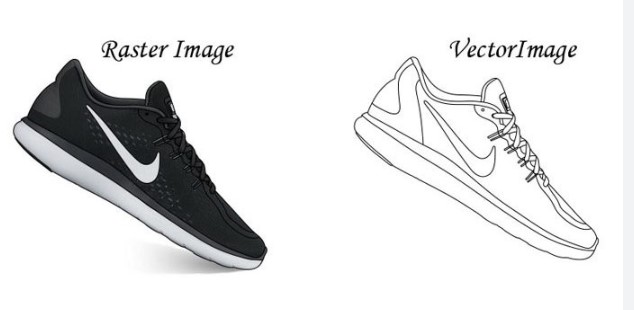

If you have a raster image that you need to transform into a vector image, you will need to use a process called raster to vector conversion. This process transforms a bitmap or raster image into a vector image, which can be easily edited and manipulated.
Why Convert Raster to Vector?
You can convert a raster image to a vector one for several reasons. Here are a few:
- Scalability: One of the primary benefits of vector images is that they can be scaled up or down without losing quality. This makes them ideal for logos, signage, and other graphics that need to be displayed in different sizes.
- Editability: Vector images can be easily edited and manipulated using Adobe Illustrator or CorelDRAW software. This means you can make changes to the image without starting from scratch.
- Clarity: Vector images are crisp and clear, with no jagged edges or pixelation. This makes them ideal for use in printed materials like brochures and flyers.
How to Convert Raster to Vector
There are several ways to convert a raster image to a vector image. Here are a few methods:
- Manual tracing: This method involves manually tracing over the raster image using a vector drawing tool. While this method can be time-consuming, it allows for a high degree of control and precision.
- Automatic tracing involves using software to convert the raster image to a vector image. Several software options are available, including Adobe Illustrator's Image Trace feature, CorelDRAW's PowerTRACE feature, and Inkscape's Trace Bitmap feature. While automatic tracing is faster than manual tracing, it may produce a different level of accuracy.
- Outsourcing: If you don't have the time or expertise to convert the image yourself, you can outsource the task to a professional graphic designer. This option may be more expensive than doing it yourself, but it ensures a high-quality result.
Tips for Successful Raster to Vector Conversion
Whether you decide to convert the image yourself or outsource the task, here are a few tips to ensure a successful conversion:
- Choose the right software: Many software options are available for raster-to-vector conversion. Choose the one that best fits your needs and skill level.
- Use high-quality source images: The quality of your source image will directly impact the quality of the vector image. Use high-resolution images with good contrast and color separation.
- Choose the right settings: When using automatic tracing software, choose the right settings for your image. This will help ensure a successful conversion.
- Be prepared to edit: Even with the best software and settings, you may still need to adjust the vector image to achieve the desired result manually.
Conclusion
Raster to vector conversion is essential for any graphic designer or digital artist. You can achieve better quality, flexibility, and scalability by converting your raster images to vector images. Whether you do it yourself or outsource the task, follow these tips for a successful conversion. With a little practice and patience, you'll create high-quality vector images quickly.
FAQ:
Q: What is a raster-to-vector conversion?
Ans: Raster-to-vector conversion converts a bitmap or raster image into a vector image. This process transforms a low-quality, pixelated image into a high-quality, scalable vector image.
Q: Why must I convert my raster images to vector images?
Ans: You can convert a raster image to a vector one for several reasons. Vector images are scalable, editable, and have better clarity than raster images. They are ideal for logos, signage, and other graphics that must be displayed in different sizes.
Q: What software can I use for raster-to-vector conversion?
Ans: There are several software options available for raster-to-vector conversion, including Adobe Illustrator, CorelDRAW, and Inkscape. Each software has its own features and capabilities, so choosing the one that best fits your needs and skill level is important.


0 Comments